Import a Divi Marketplace pack into Divi 5
Layout packs from the Divi Marketplace arrive as a ZIP file in your Elegant Themes account, under Downloads.
Requirements
Divi 5 theme or the Divi 5 builder plugin, active on your site. No other plugin is needed. Child themes are fine.
Import steps
- Download the pack from your Elegant Themes account and unzip it. Inside you will find a JSON file and a license.txt file
- In WordPress, create a new page. Name it something like Pack Import so it is easy to find later
- Open the page in the Divi 5 Visual Builder
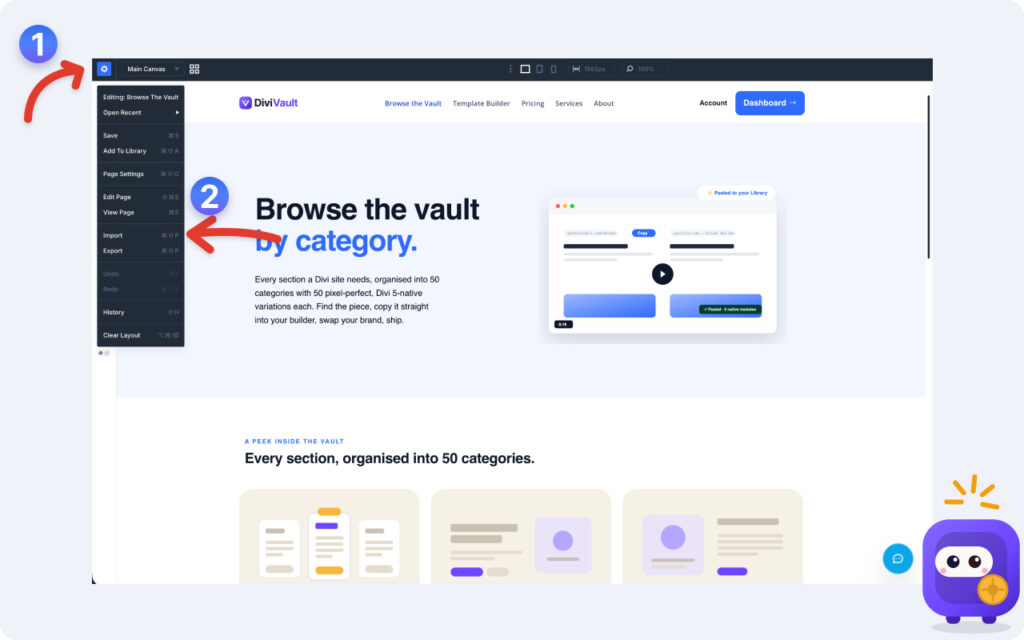
- Open the builder menu and click the settings icon in the top left corner. and then click the import buton.
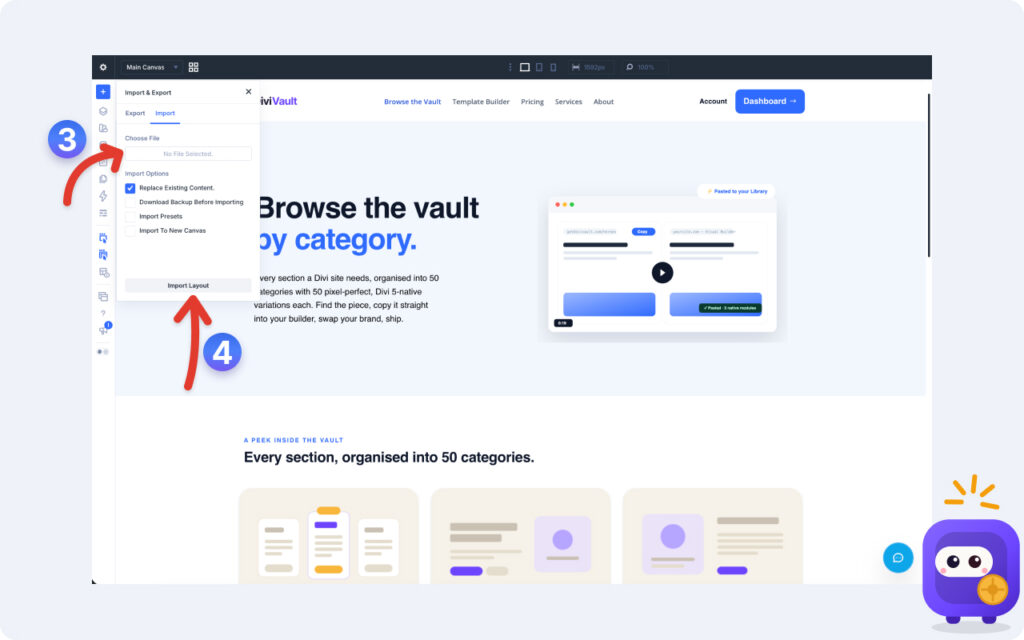
- Select and upload the file and click the "Import Layout" button.
- On the Import tab, select the JSON file and start the import
- When it finishes, every section from the pack loads on that page
Using the sections
Copy any section on the import page and paste it onto any other page on your site. If you use a handful of sections often, save them to your Divi Library so you can add them from the library without keeping the import page around.
The import page itself is a workspace. Leave it as a draft so it never appears on your live site.
Interactive sections
Sections with toggles, sliders, or counters work as soon as the import finishes. No extra setup.